Builders: spend, quality and test runs
See who is building in Studio right now, what building costs, how well Studio is working for your builders, and approve paid test runs.
The page Builders in the Governance part of the left menu answers three questions about building in Studio: what does it cost, who is building, and is it working well? It brings live build sessions, the month's spend and the quality of Studio's answers together on one page with four tabs.
Who may build and their personal budgets are not here. They are under Settings, Studio users (see People and Studio users). This page is for watching and for the few decisions that belong to it.
Who can do this
Admins of Cortex Control. Only counts, costs and titles are shown here, never the content of builders' conversations.
| Tab | What it is for |
|---|---|
| Builders and usage | Live build sessions, this month's spend, tokens, calls and the breakdown per app, user and model. |
| Quality | How Studio is working for builders: how turns end, which safety checks stepped in, what people think of it. |
| Evals | Paid test runs of Cortex that wait for approval, each with a cost limit. |
| Night shift | Results of the simulated users that try Cortex every night. |
Builders and usage
The first tab is described as "Live build sessions and this month's spend."
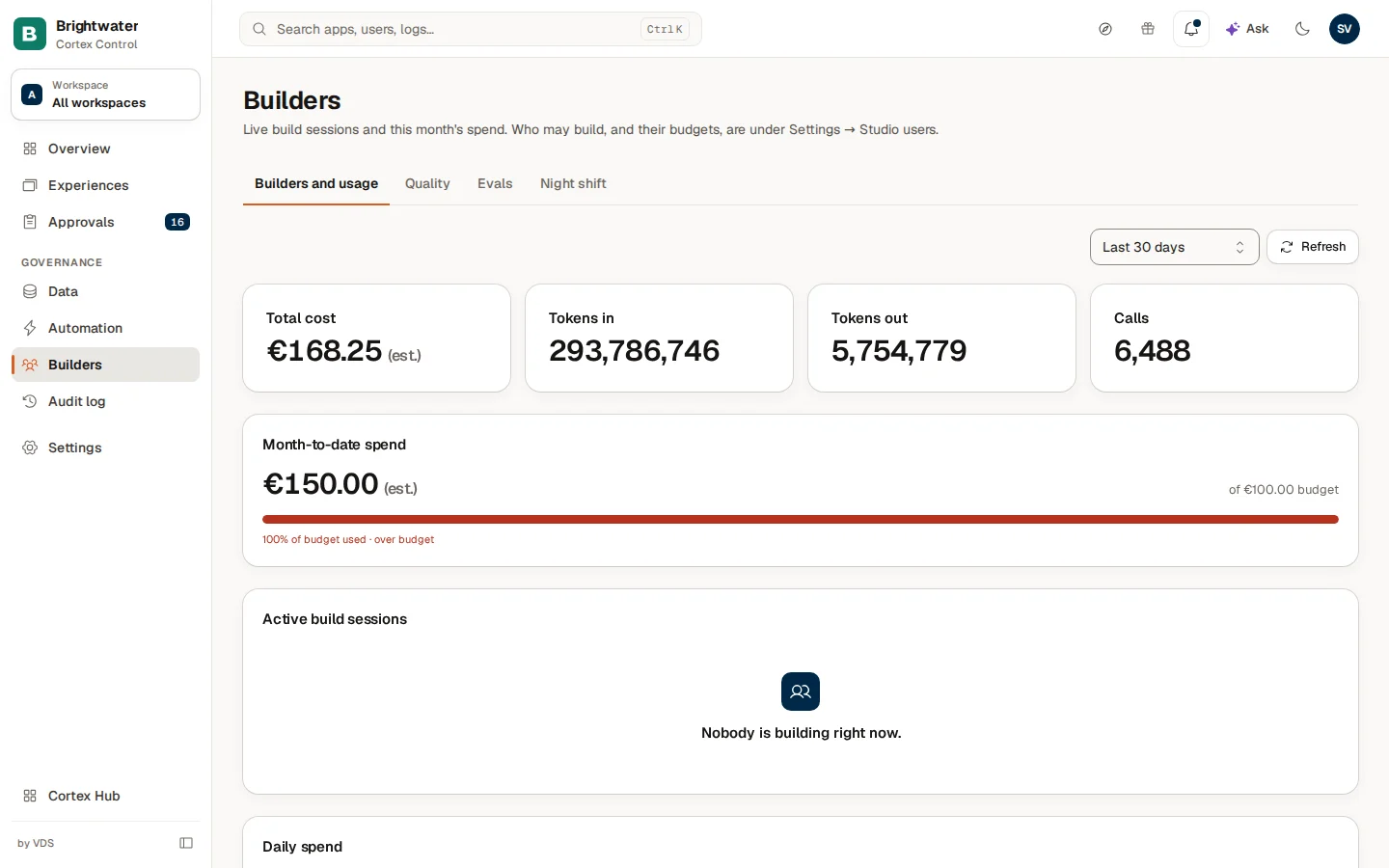
From top to bottom:
| Block | What it shows |
|---|---|
| Period and Refresh | Choose Last 7 days or Last 30 days. Refresh reloads the page. |
| Total cost, Tokens in, Tokens out, Calls | The figures for the period. Costs carry the label est. while your rates are estimates. |
| Month-to-date spend | This month's spend against the monthly budget ("of … budget", "n% of budget used", and "over budget" when it is passed). Without a budget it says No budget set. |
| Active build sessions | Who is building right now ("2 live · 3 open"). Each row has the builder, when the session started, and Live or Idle. When nobody builds it says "Nobody is building right now." |
| Daily spend | One bar per day. Point at a bar for the day and the amount. |
| By app | The spend per app. A row can say "Not tied to an app", "Deleted app (#…)" or "Dashboards, Ask and model chats" for work that does not belong to one app. |
| By user | The spend per builder. |
| By model | The calls and tokens per model, and "Most used: …". |
A note under the figures says that costs are estimates based on placeholder pricing and may differ from real billing. Without data in the period you see "No usage in this range."
Check who is building
Look at Active build sessions. Live means the session is active now, Idle means it is open but quiet.
Compare the month with the budget
Read Month-to-date spend. If it is close to the budget, raise the budget or look at By user to see who spends most. Budgets are set under Settings, Studio users and Cost & limits.
Find the expensive app
Open By app and look for the app with the highest cost and calls. Then open that app in Apps.
Quality
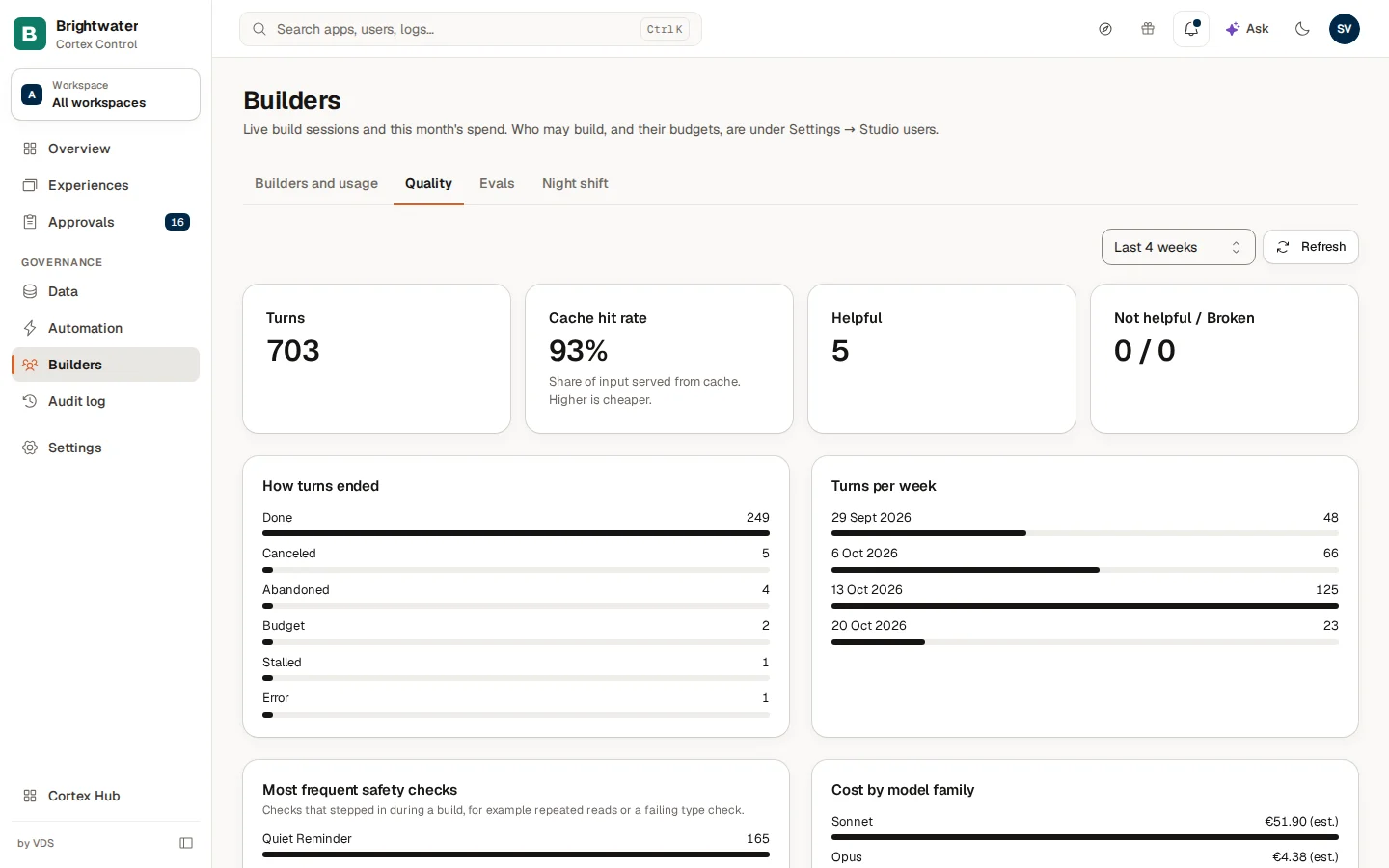
The tab is described as "How well Studio is working for your builders: how turns end, where the safety checks step in, what it costs and what people think of it. Only counts are shown here, never the conversations." A turn is one request from a builder and Studio's work on it. Choose a period with Period: Last 4 weeks, Last 8 weeks or Last 12 weeks.
| Figure or chart | What it tells you |
|---|---|
| Turns | How many turns were recorded in the period. |
| Cache hit rate | The share of input served from cache. Higher is cheaper. |
| Helpful, Not helpful and Broken | What builders said about the answers. |
| How turns ended and Turns per week | The causes a turn ended with, and the volume per week. |
| Most frequent safety checks | Checks that stepped in during a build, for example repeated reads or a failing type check. |
| Cost by model family | What each family of models cost. |
| Signals from behaviour | What builders do rather than say, for example asking to retry or to undo. |
| Profiles | Every turn grouped by who ran it: the builders in Studio and Ask in Cortex Hub. How turns ended, what a turn cost, how many had a failed check and how many moved up to a larger model. |
| Model routing | Which model size each part of Studio picked per turn. "Moved up" means the turn ran into trouble and finished on a larger model. |
| Recurring problems | Failed and downvoted turns, grouped every week. Only titles are shown, with the number of turns. |
When Studio or Cortex Hub did not answer, the tab says so ("… did not answer, so its rows are missing from this page."). Before the first full week with turns, Recurring problems says "No weekly report yet." When no turns were recorded the tab says "No turns have been recorded in this period yet."
Evals
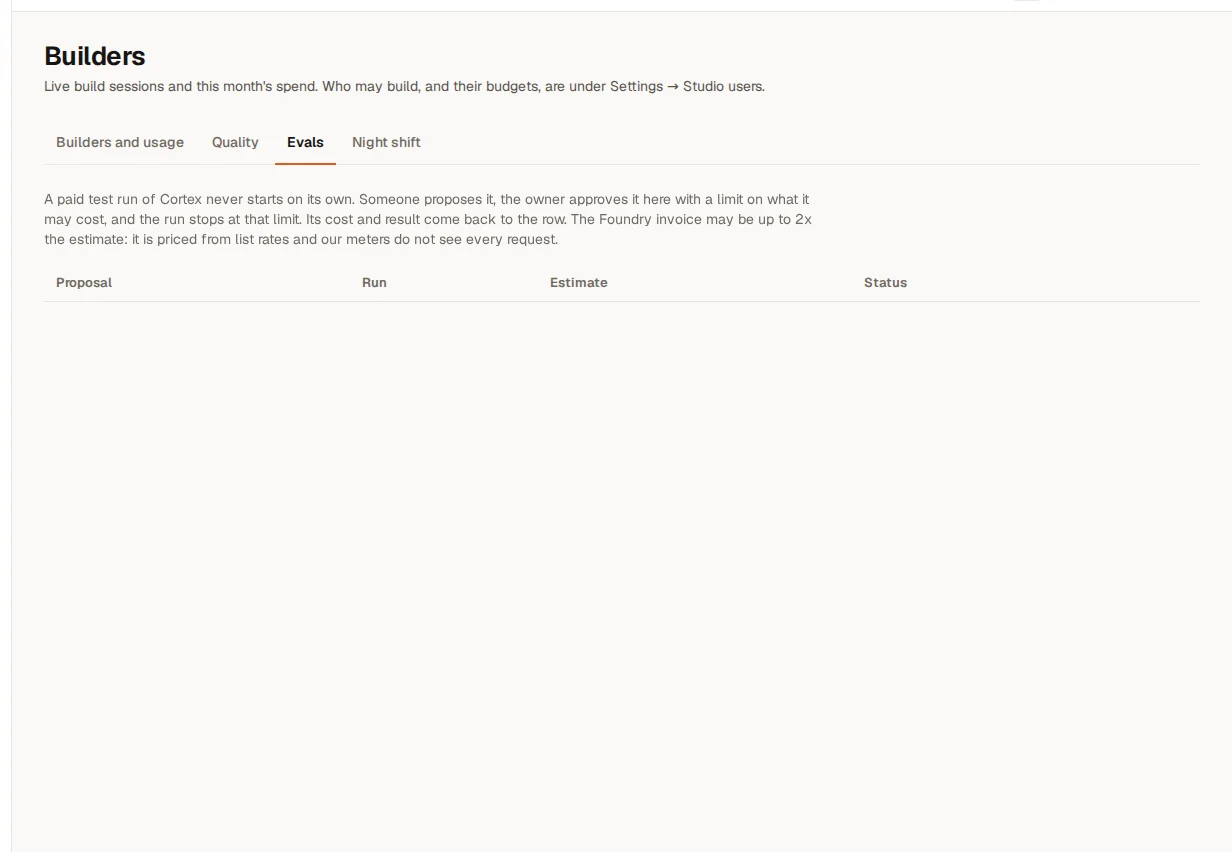
A paid test run of Cortex never starts on its own. Someone proposes it, an approver says yes here with a limit on what it may cost, and the run stops at that limit. Its cost and result come back to the row. When no one has proposed a run, the tab says "No eval proposals yet."
| Column | What it shows |
|---|---|
| Proposal | The proposal, the kind of run (for example Re-test), who proposed it and when, and how many attempts per case. A Smoke run never counts as acceptance. |
| Run | What the run will test, and what is Not measured yet. |
| Estimate | The Expected cost and the Worst case. After approval: "Limit …, spent …". |
| Status | Waiting for approval, Approved, Declined, Finished or Expired (an approval is valid for 48 hours). |
A proposal that waits shows Approve and Decline when you may decide it. The dialog "Approve proposal #…?" says that the run may spend up to the worst case within 48 hours and stops when the next call would not fit. Declining means the paid run will not start; a new proposal is needed later. Someone else may already have decided ("Someone already decided this proposal."), and not everyone may decide every run: a message tells you when you may not.
Night shift
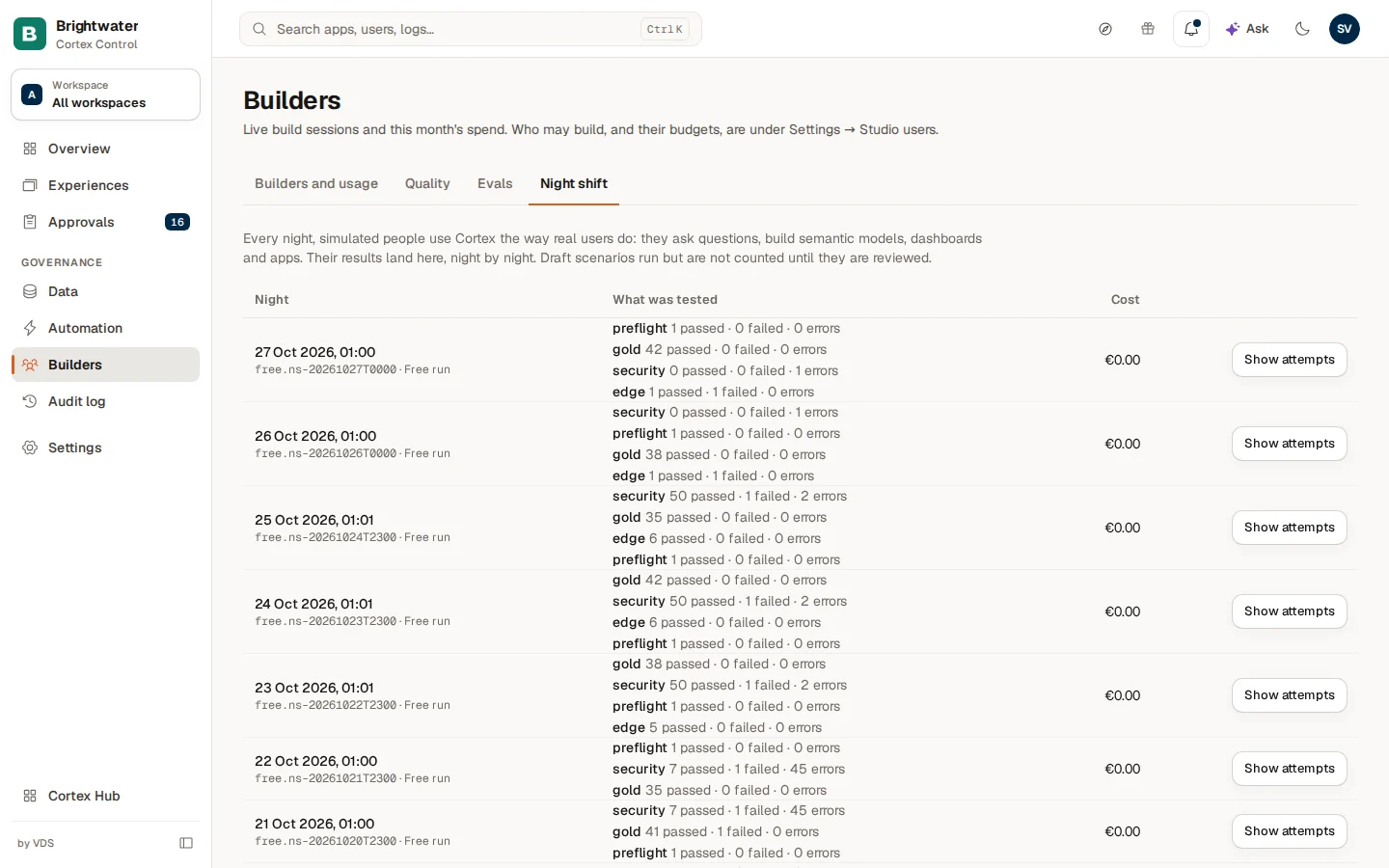
Every night, simulated people use Cortex the way real users do: they ask questions and build semantic models, dashboards and apps. Their results land here, night by night. Draft scenarios run but do not count until they are reviewed.
| Column | What it shows |
|---|---|
| Night | When the night ran, its run id, and whether it was a Free run or belongs to a numbered proposal. A night that is Void is not compared with other nights, because a product was updated during it. |
| What was tested | The lanes that ran, with "n passed · n failed · n errors" and the number of drafts. |
| Cost | What the night cost. |
Choose Show attempts on a night to see each scenario with its Result (Passed, Failed or Error), its Checks ("All 12 checks passed", or the failed ones with detail) and its cost. Hide attempts folds it again. Failed scenarios come first. Before the first night the tab says "No nights yet. The first night runs after a night shift proposal is approved on the Evals tab. Without an approval only the free checks run."
Example: a month-end look at Brightwater Foods
On the last day of the month Sam de Vries opens Builders.
- On Builders and usage the month-to-date spend is at 85% of the budget. By user shows that the planning team builds the most.
- On Quality the share of turns that ended with a failed check went up this month. Recurring problems names a repeated type check failure. Sam passes the title to the builders.
- On Evals nothing waits.
- Sam raises the organisation's monthly budget by a small amount under Settings, Studio users so builds do not stop in the last days.
Frequently asked questions
Builder permissions and policy
Decide what builders may create themselves, make exceptions for a person, group or workspace, and set the rules that apply to your whole organisation.
Data sources
See every connected system on the Data page and connect a new one with the New source wizard: system, connection, credential, test.