Automation
See every rule in Cortex that starts something by itself, when it is due next, when it last fired and whether it is healthy.
Some things in Cortex happen without anyone pressing a button: a workflow that starts when a new order lands in a dataset, a digest that reaches a manager every Monday, an alert when a figure drops below its limit, a job that keeps Cortex itself tidy. Automation is the one page where an admin sees all of these rules together, in the same shape, with the time they are due next and what happened the last times they fired.
The page is read only. A rule stays where it was made (a workflow in Studio, a subscription in Hub, an app's own schedule). Automation answers the questions an admin asks when something did not happen, or happened twice: is there a rule for it, is it running, when does it fire next, and did the last run work?
Who can do this
Admins of Cortex Control, under Automation in the Governance group of the menu. The page only reads; nothing you do here changes a rule.
The page at a glance
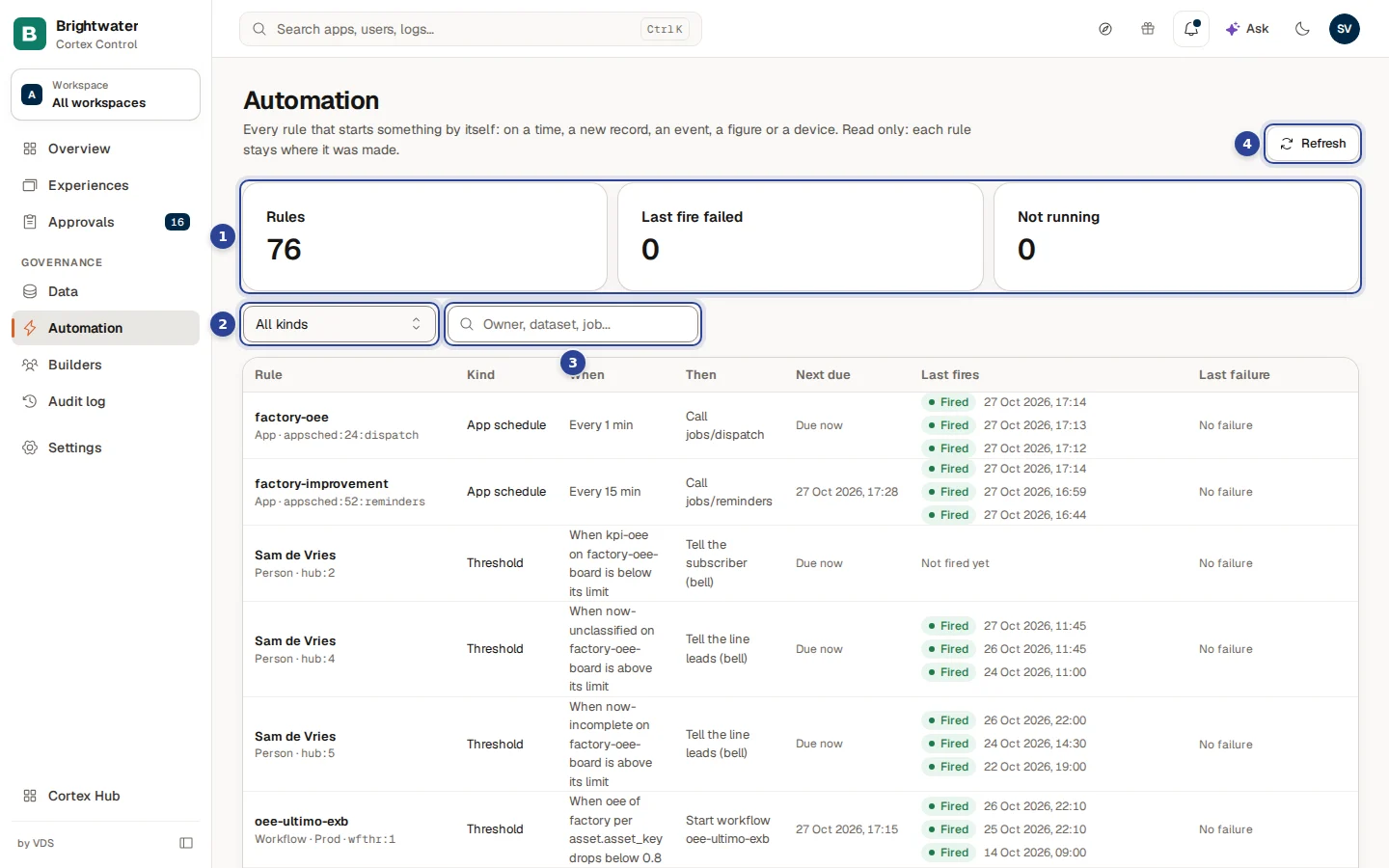
- The three counters. Rules is how many rules Cortex found. Last fire failed counts the rules whose newest fire failed, and turns red when it is more than zero. Not running counts the rules that are not Active (paused, blocked or switched off).
- Kind. Show one kind of rule only, or All kinds.
- Search rules. Type part of an owner, a dataset, a job, an id or a sentence from the When or Then column ("Owner, dataset, job...").
- Refresh. Reads the rules again. The page does not update by itself.
Below the filters is the table: one row per rule, failing rules first (see Reading the table).
What counts as a rule
Every row has a Kind. The kind tells you what makes the rule fire.
| Kind | What makes it fire | What it does | Where it is made |
|---|---|---|---|
| New record | A new record appears in a dataset ("A new record in …"). | Starts a workflow. | The workflow's trigger, in Studio. |
| Schedule | A time: every few minutes, or a calendar such as "Every Monday at 08:00". Dashboard digests from Hub subscriptions are here too ("Daily at … UTC", "Mondays at … UTC"). | Starts a workflow, or tells the subscriber. | The workflow's schedule in Studio, or a person's subscription in Hub. |
| Event | An app sends an event, or a signed webhook call comes in ("App … emits …", "A signed webhook call"). | Starts a workflow. | The workflow's trigger, in Studio. |
| App schedule | An app's own timer ("Every 15 min"). | Calls a route of that app ("Call jobs/reminders"). | The app itself. |
| Threshold | A certified figure moves past a limit ("When … drops below …"), or a person's KPI alert on a dashboard tile ("is above its limit", "down by more than its percentage"). | Starts a workflow, or tells people (the bell, email or a Teams channel). | The workflow in Studio, or a subscription in Hub. |
| Device state | A device or sensor changes state ("… changes state"), for factory installs. | Tells the line leads and the admins in the bell. | Cortex's device health. |
| System job | The clock (cron, always in UTC). | Runs one of Cortex's own jobs ("Run job …"). | Cortex itself. |
The first column of each row also says who owns the rule (Workflow, App, Person or System), the environment when it has one (Dev or Prod), and the rule's id in a small mono font, for example wfsched:47 or job:tick-minute.
System jobs
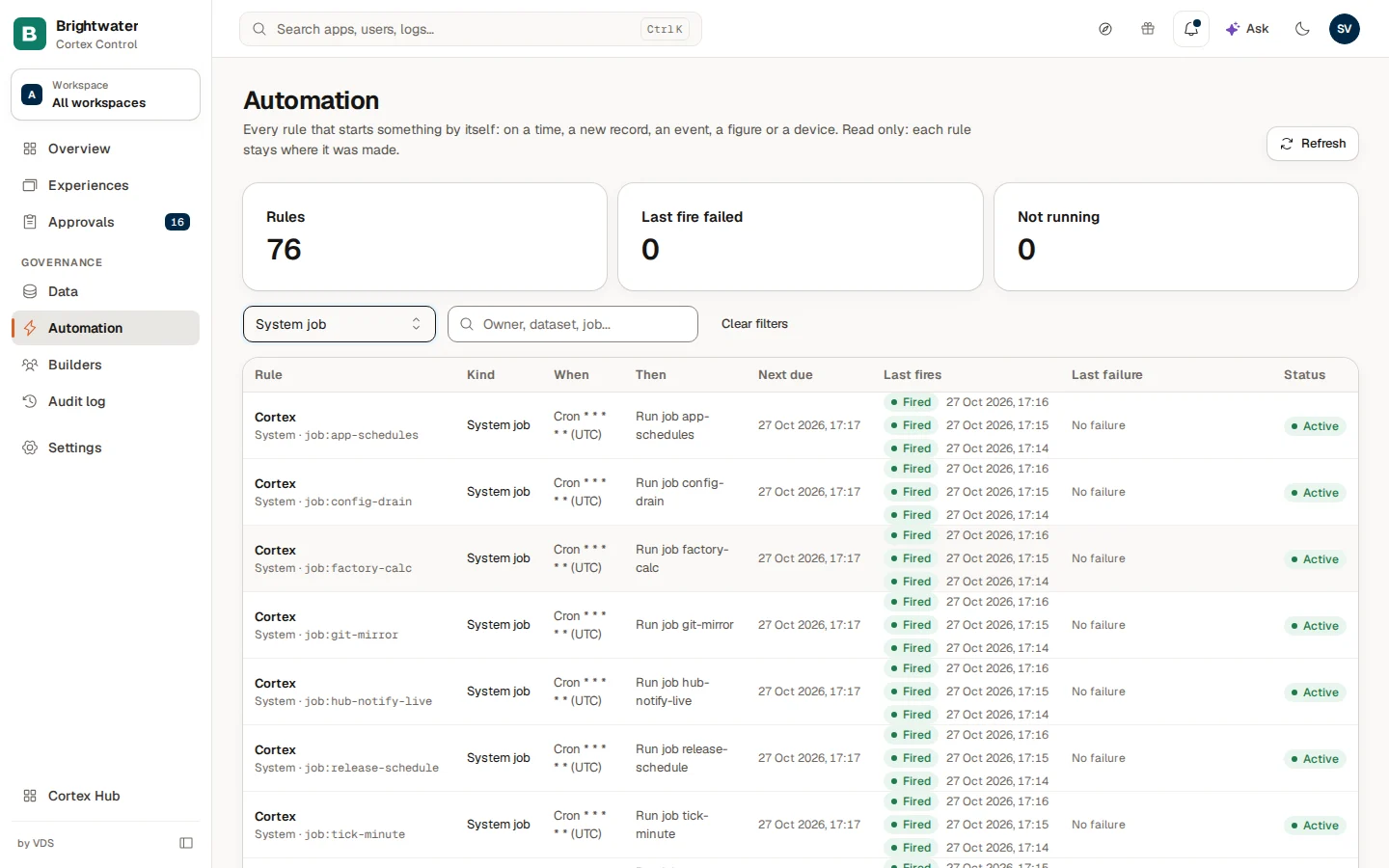
Cortex's own jobs show Cortex as the owner and a rule id like job:app-schedules. When shows the clock as a cron expression (five fields, for example * * * * *, which means every minute, always in UTC) and Then says "Run job" with the job's name. Only a few jobs have a worded title (for example "Re-check Ask model defaults"). They are listed so you can see that housekeeping runs, when it runs next and that its last fires went well, not because you manage them. When a job finishes with problems, its row says so in Last failure (for example "The job finished with failures (see its log)").
Reading the table
| Column | What it shows |
|---|---|
| Rule | The owner's name (a workflow, an app, a person, or the job), with the owner type, the environment and the rule id under it. |
| Kind | One of the seven kinds above. |
| When | What makes it fire, in words: "Every 5 min", "Cron … (UTC)", "A new record in …", "When oee of … per … drops below 0.8". |
| Then | What it does: "Start workflow …", "Call …", "Run job …" or "Tell the line leads (bell)". |
| Next due | The time the rule is due next, in your own time zone. A rule that fires on something happening shows When it happens; a rule whose time has passed but has not run yet shows Due now. A rule that is not Active shows a dash. |
| Last run | Only the newest run, with its outcome, its time and a short reason. Click a row (or focus it and press Enter or Space) to open a side sheet with the whole rule and every run Cortex returned for it, newest first, with the full reason text. The API returns the newest three runs per rule; older runs are not listed. |
| Last failure | The time and reason of the newest failure, or the last error the rule recorded, or No failure. Shown in red when there is one. |
| Status | Active, Paused, Blocked or Switched off. |
Outcomes of a fire
| Outcome | Meaning |
|---|---|
| Fired | The rule did what it should: it started the workflow, called the app, sent the message or ran the job. |
| Skipped | The rule looked and decided not to act. The reason is shown next to it, for example a cool-down ("Cool-down (n row(s) moved into breach inside it)") or "Disabled: the workflow is no longer live". |
| Failed | The rule tried and it did not work. The reason is shown, for example "n trigger(s) failed" or "The job finished with failures (see its log)". |
A rule that has not fired yet says Not fired yet. Cortex keeps the record of fires for 90 days. A figure rule can also be skipped because the figure's certified badge is off: nothing is evaluated until it matches the source again.
Statuses
| Status | What it means | Common cause |
|---|---|---|
| Active | The rule is running and has a next due time. | Normal. |
| Paused | The rule is not firing for now. | The workflow's schedules are paused, or a subscription was paused. |
| Blocked | Cortex stopped the rule because it cannot work as it is. | A stored schedule that cannot be read, a workflow's figure rule that Cortex blocked (the reason is in Last failure), or a Hub subscription that needs a permission that was withdrawn or expired. |
| Switched off | The rule is turned off. | A trigger was disabled, or its workflow is no longer live. |
The order of the rows
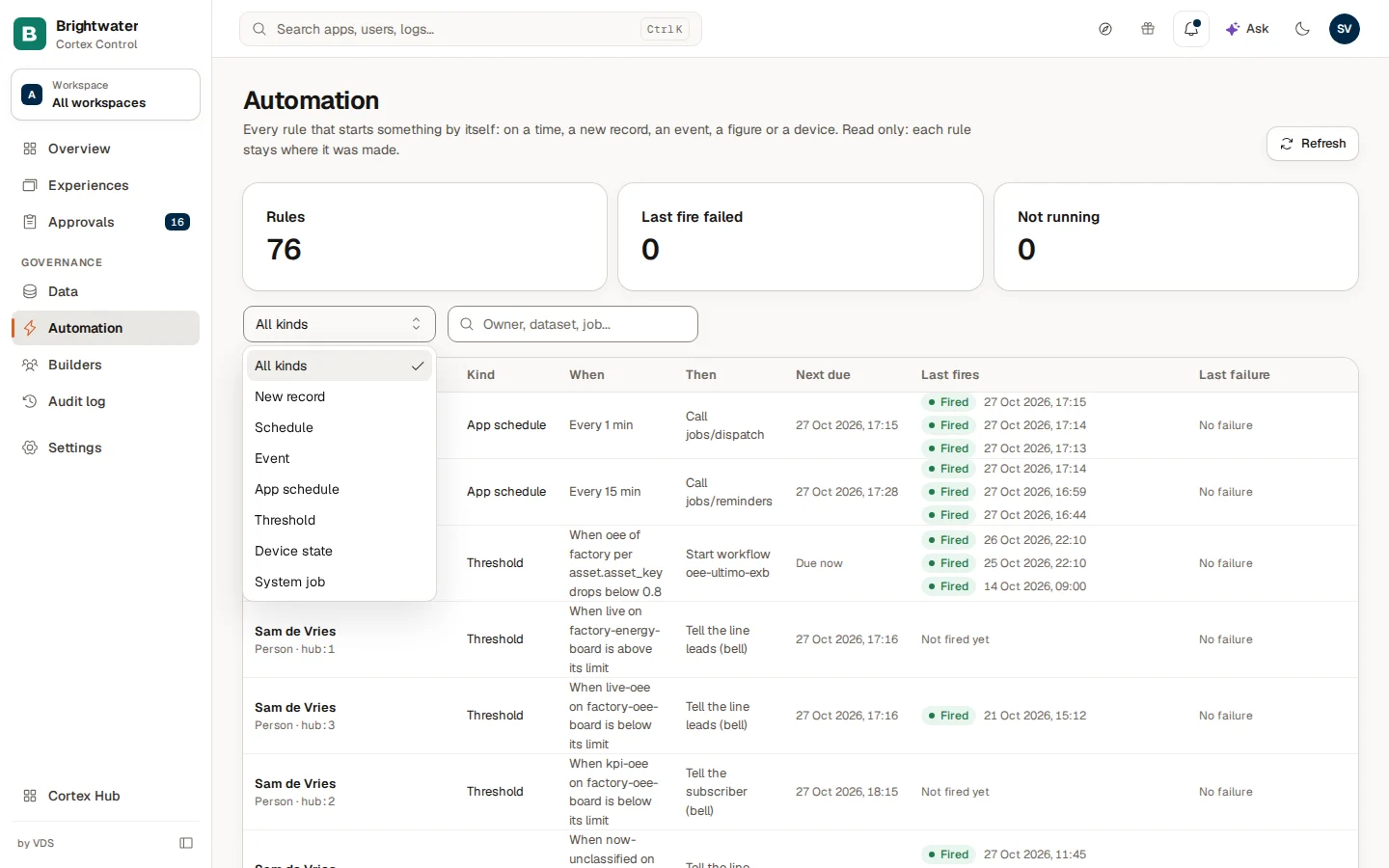
Rules whose newest fire failed come first. Then the rules are grouped by kind in this order: New record, Schedule, Event, App schedule, Threshold, Device state, System job. Inside a kind, the rule due soonest comes first.
Find a rule
Open Automation
Choose Automation under Governance in the menu. The counters and the table load in a moment.
Narrow it down by kind
Open the Kind filter and choose a kind, for example System job or App schedule.
Search for a name
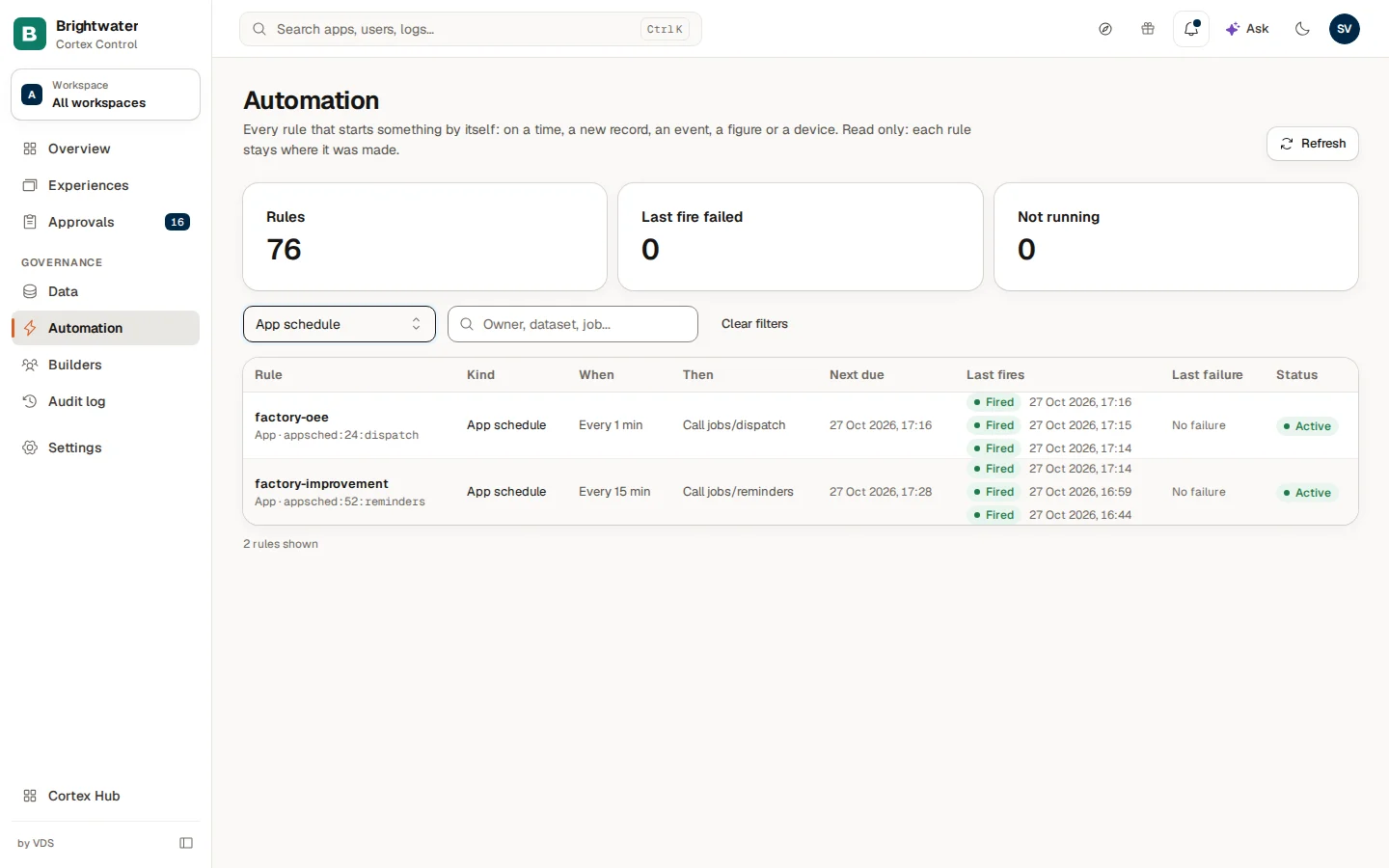
Type in Search rules: the name of a workflow, a dataset, a job or a route. The table filters as you type, and the footer says how many rules match ("N of M"). The table shows the first 50 matching rules; Show more adds the next 50. The counters above always count every rule. Clear filters brings everything back; when nothing matches the page says No rules match.
Example: "Why did the OEE report not start this morning?"
Sam de Vries, the IT admin at Brightwater Foods, hears from the plant manager that the workflow that should start when OEE drops below 0.8 did not start on one line this morning.
- Sam opens Automation and types the workflow's name in Search rules.
- The row is there, kind Threshold, owned by a workflow in Prod, with When "When oee of factory per asset.asset_key drops below 0.8" and Then "Start workflow …". It is Active, so nothing is switched off.
- Last run shows the newest run. It says Skipped with the reason "Cool-down …": the figure was already in breach, and Cortex does not start it again for the same line within the cool-down period. Sam clicks the row to open the side sheet and sees the runs before it too.
- Sam tells the plant manager that the rule works as designed. Changing the cool-down is a change to the workflow, so it is done in Studio by its owner.
A second case: the Last fire failed counter is 1. The failing rule is at the top of the table, Last failure is red and gives the reason. Sam sends the reason to the workflow's owner, and after the fix presses Refresh and sees the next fire succeed.
Where to change a rule
Automation never edits. A workflow's triggers and schedule are changed by its builders in Studio. A person's digest or alert is changed by that person in Hub, under Subscriptions. An app's timers are part of the app. See Live processes for the runs that a rule started.
Good to know
- Times are shown in your own time zone. Cron expressions and "Daily at …" are in UTC, and the page says so.
- If some rules could not be read yet, a yellow note says which kinds are missing ("Some rules are not listed because the database is not updated for them yet: …"). If a list is very long, another note says which lists are "cut short"; Cortex reads up to a thousand rules of each source.
- A rule shows its figure, comparison and limit, never a number the figure returned, and a failure reason is kept short. The page shows no record values.
Troubleshooting
Curated packs and the Factory settings
Install and upgrade the ready-made packs of apps and dashboards that come with Cortex, and set up the plant for the Factory pack.
Live processes
Follow every workflow run in your organisation, see which ones wait for a person or failed, read the step-by-step history and stop a run that should not continue.