Model checks
See what Cortex checks on your model every night, add checks of your own, run them now and understand what happens when one fails.
Your model is only worth something if people can trust its numbers. So Cortex does not take the model's word for it: every night it checks every published model again. Is the data still arriving? Are the tables sound? Does every certified figure still equal an independent total from the source? The result is on the Checks tab of the model, worst first, one line per check in plain words.
Who can do this
The owners of the model and administrators. The Checks tab is not part of the read-only model guide that other builders see (see Semantic models). The people who are told when something fails are the model's owners.
The Checks tab at a glance
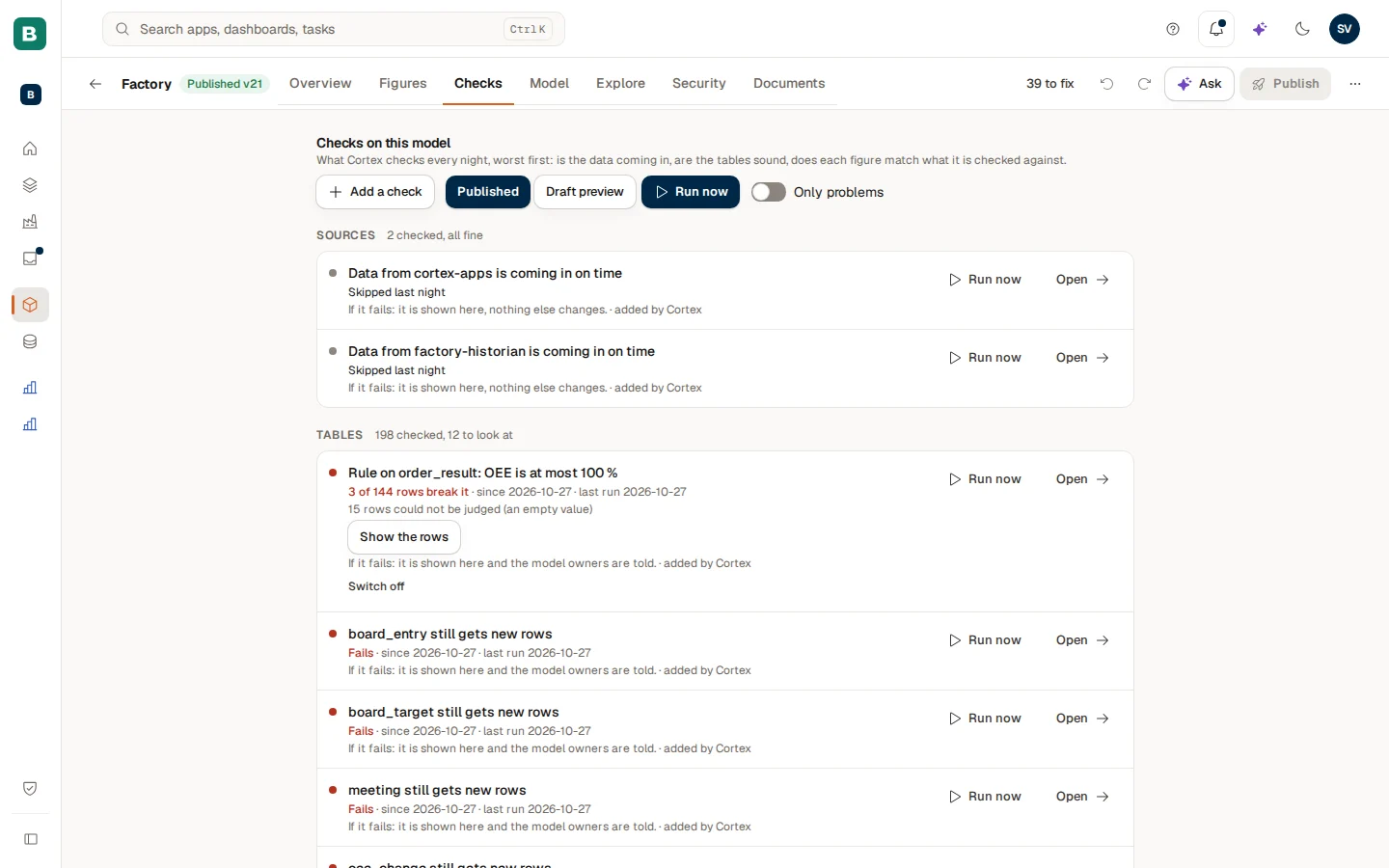
From top to bottom the tab holds:
- The header. The title "Checks on this model", Add a check, the Run now controls and the Only problems switch.
- Sources. Is the data of the source coming in on time? One line per source, for example "Data from … is coming in on time".
- Tables. Are the tables sound? Keys that are unique, links that point at rows that exist, columns that are still there, and the rules you added yourself.
- Figures. Does each certified figure still match the total it is checked against? This is the same proof you see on the page of the figure (see Figures and certification).
Every section has a count line, for example "50 checked, 3 to look at" or "7 checked, all fine". Switch on Only problems to hide everything that is fine.
Nightly, on the published model
The checks run once a day, at 03:00 UTC, on the published version of each model. A check or a change that is still only in your draft is not part of the night until you publish. Use Draft preview (below) to see what the checks say about your draft right now.
Reading one line
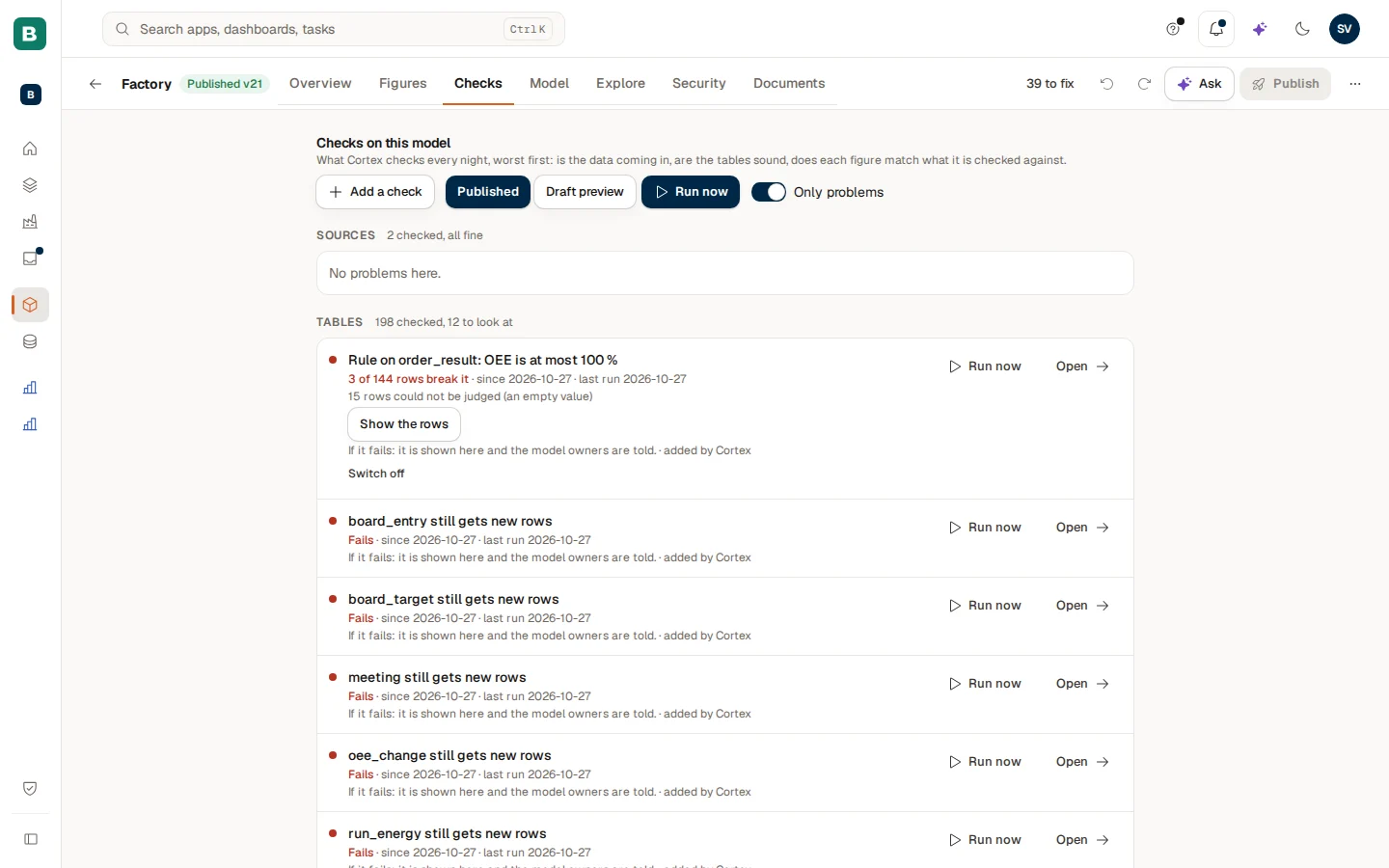
Each line has the same parts:
- A dot in front: green for fine, red for a problem, amber for something to look at, grey for neutral (not run yet, switched off).
- What is checked, in a sentence. For a figure the sentence names what it is compared with, for example "Revenue agrees with …, month by month".
- The last result, followed by since when it has been that way and when it last ran ("last run 2026-10-25").
- More detail when there is something to say: "Differs in: …" with the months or periods that differ, "n rows could not be judged (an empty value)", or "Why: …" for a check that was skipped.
- If it fails: …, in words: what a failure does (see below).
- Who added it: "added by Cortex", "added by" a named person, or "added by the model's builders".
- Open at the end of the line. It takes you to the place that already holds the detail: the figure's own page (with its Proof block), the table on the Model tab, the checks in Health, or the Sources page.
The results
| Result | What it means |
|---|---|
| Matches | The figure equals its reference. |
| Differs | The figure does not equal its reference. The line says since when, and for a periodic comparison in which months or periods. |
| All good | A table check or source check passed. |
| Fails | The check did not pass. |
| Look at this | A warning: not a failure, but worth a look. |
| Could not run last night | The check was started but something went wrong while running it. |
| Skipped last night | The check was not run, for example because the source had not answered in time. A skipped check is never counted as failed. |
| Cannot be checked | Cortex cannot work out a check for this definition. |
| Not run yet | A new check: the first night after it is published adds the first result. |
For a source whose data is late the line says "Late, or Control reports something"; when the last synchronisation failed it says "The last sync failed".
What happens when a check fails
Each line says it itself, under If it fails. There are four possible consequences:
| Shown on the line | What it does |
|---|---|
| "it is shown here, nothing else changes." | Only show it. The result appears on this tab and nowhere else. |
| "it is shown here and the model owners are told." | Tell the owners. The owners are notified. Some checks also tell IT ("the model owners and IT are told"). |
| "the figures it proves lose their badge and the model owners are told." | Take the badges off. The certified figures that this check proves lose their badge. |
| "the table is set aside until it passes again and the model owners are told." | A table that is not sound (for example a key that is not unique) is set aside until it passes again. |
A check on a table can also take the badge off the figures that sit on that table: "the figures on that table lose their badge".
Why did a certified figure lose its badge?
Because its latest nightly check found that it no longer equals the independent total, or because a check that proves it failed. The owners are told the same day. Open the line to see what it was compared with, the allowed difference and the last nights. When the figure matches again on a later night, the check passes again; certify the figure again if the badge is gone. See Figures and certification.
Every kind of check
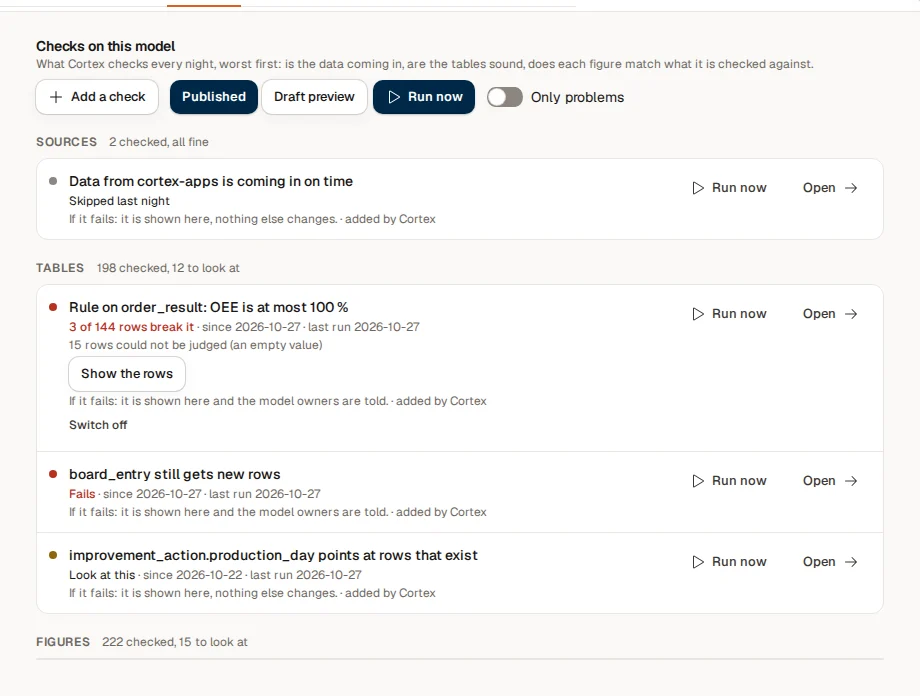
| Kind | In plain words | Added by |
|---|---|---|
| Source | "Data from source is coming in on time" | Cortex |
| Key is unique | "Every row of table has its own key" | Cortex |
| One row per key | "table has one row per combination of its key fields" | Cortex |
| Link points at rows | "link points at rows that exist" | Cortex |
| Columns present | "table has the columns the model expects" | Cortex |
| Dataset link | "link: the dataset link is set up correctly" and "link: the keys exist on both sides" | Cortex |
| Datasets granted | "The datasets of this model are granted to it" | Cortex |
| Sample values | "The sample values of target are still current" | Cortex |
| Figure | "figure equals reference": the proof of a certified figure | Cortex or a builder |
| Compare with the source | "figure agrees with source, month by month" (or week by week, day by day) | You |
| Count the records | "table has as many rows as the source, month by month" | You |
| A rule | "Rule on table: rule" | You |
| Plausibility | "table still gets new rows" and "figure stays within its usual range" | Cortex |
Cortex adds the plausibility checks itself. "table still gets new rows" flags a table that has had no new rows for longer than expected ("No new rows for more than n hours"). "figure stays within its usual range" flags a certified figure whose latest closed month falls outside its usual range ("Outside its usual range"); with too little data it says "Not enough history yet".
Add a check of your own
Open the dialog
On the Checks tab choose Add a check. The dialog asks "What should Cortex check every night?".
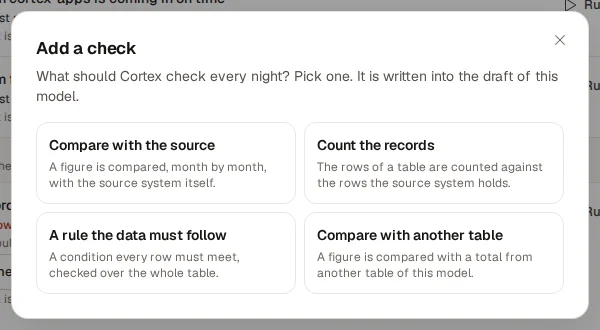
Pick the kind
- Compare with the source: a figure is compared, month by month (or week by week or day by day), with the source system itself.
- Count the records: the rows of a table are counted against the rows the source system holds.
- A rule the data must follow: a condition every row must meet, checked over the whole table.
- Compare with another table: a figure is compared with a total from another table of this model.
Fill in the form
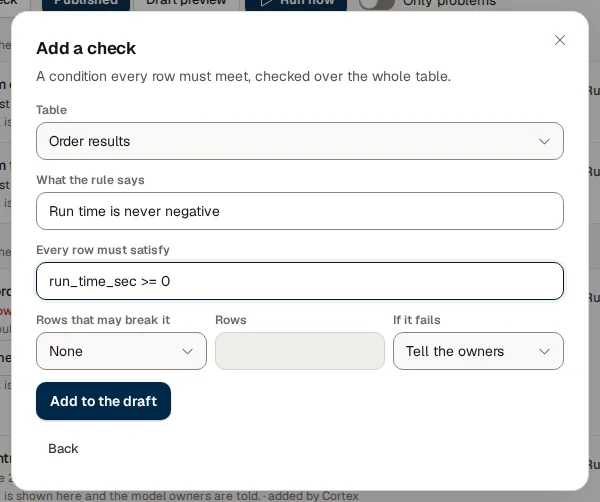
For a rule, choose the Table, say What the rule says (for example "A deal closes on or after it was created"), write the condition under Every row must satisfy (for example close_date >= create_date), and choose Rows that may break it: None, A number of rows or A share of the rows. Then choose If it fails: Only show it, Tell the owners or Take the badges off.
Add it to the draft
Choose Add to the draft. The check is written into the draft of the model ("Check added to the draft."). It becomes part of the nightly run when you publish the model; with Draft preview you can see its result immediately.
For Compare with the source you also choose the Source system, the Dataset, the Total (Sum, Number of rows, Lowest, Highest, Average or Number of different values), the Field to add up, the Date field and whether to Compare monthly, weekly or daily; a dataset can offer The pack's own figures as a quick start. For Count the records you choose the Table, the source and dataset, the Month field of the dataset (or A total, no months) and, when your data has one, a Partition column (division, administration). A table that comes from a landed copy needs no link: its dataset is known. Where the dialog cannot save a form as written it says "Saved in the draft, but the server found this:" and lists what is wrong.
Empty values are never counted as broken: a rule shows them on a separate line ("n rows could not be judged (an empty value)").
Run a check now

Use Run now when you do not want to wait for the night. You choose what it runs on, under "Run now on":
- Published runs the published version exactly like a night. The result counts like one: the figure history, the badges and the owner alerts treat it as a night's result.
- Draft preview runs your unpublished draft. Nothing a reader sees changes; a banner says "Preview of the draft, run at …. Readers and the nightly counts are unchanged." and the preview lines are tagged Draft preview. Use Clear the preview to remove it.
Each line also has its own play button to run just that check. A run is limited to 6 runs an hour per model (and per single check). When you reach it, the message says "Run now is limited to 6 runs an hour. Try again at …". A run has a time budget: what had not started when it ran out is shown as skipped ("The run stopped at its time budget: what had not started is shown as skipped.").
Every run is recorded
A run is written to the audit log before it starts. Run now is for you as an owner, not for a refresh loop.
See which rows break a rule
When a rule is broken, its line offers Show the rows. It lists at most 20 breaking rows, "as you may see them": the rows are read at that moment with your own access and are not stored. The button is not offered on a platform-made model or for a table with row security. "No row came back: it may have been fixed since last night." means the rows are fine now.
Switch a check off
A check that Cortex or the model's builders added can be switched off without deleting it: use Switch off on its line; Switch on brings it back. A switched-off line shows Switched off. The switch is a draft change: it takes effect when you publish.
Checks around the tab
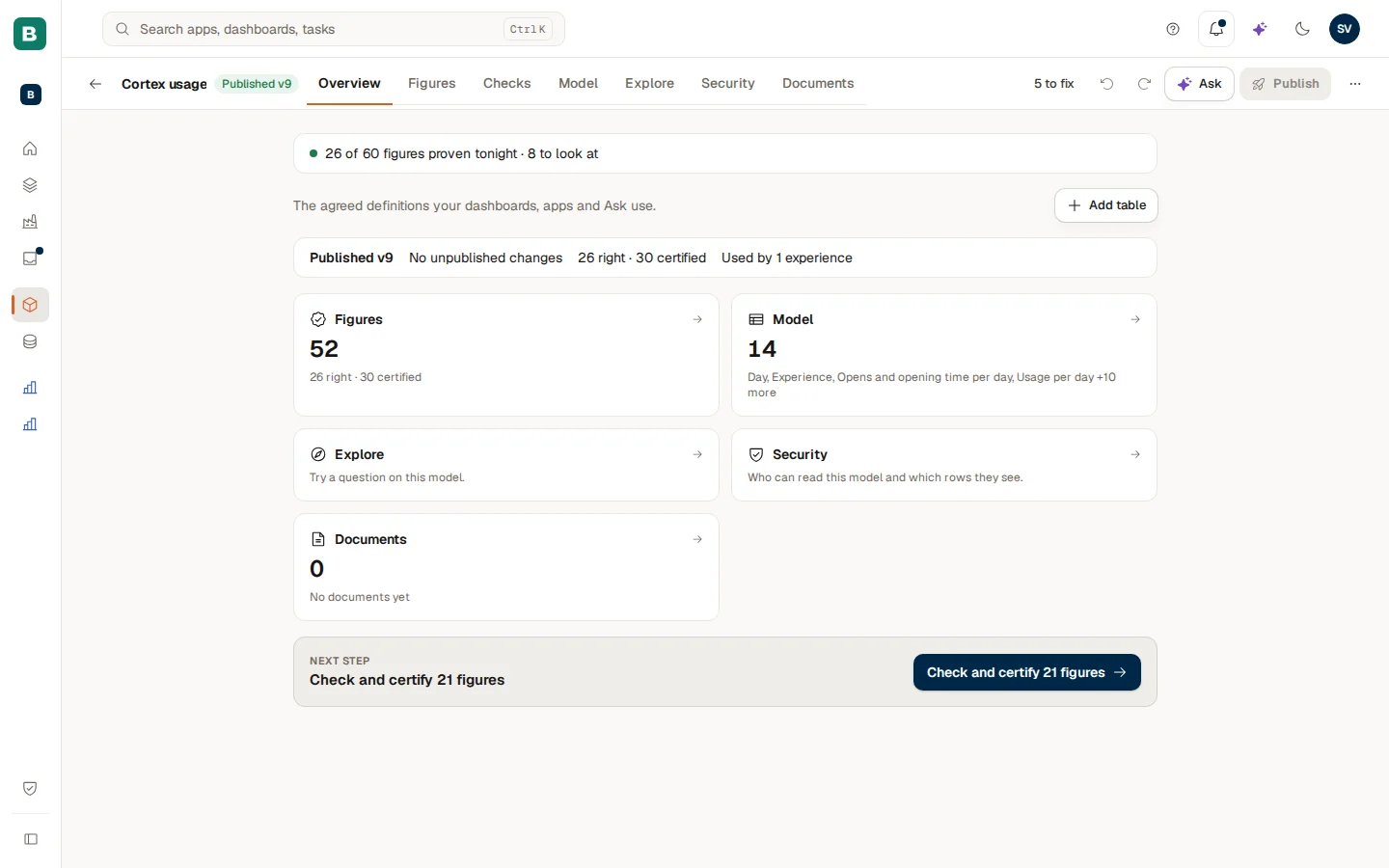
- Overview. Under Overview a line at the top summarises the night: "7 of 7 figures proven tonight", "2 differ", "3 tables break a rule" or "4 to look at", with Open the checks. The list of models shows the same line under each model.
- Health. The Checks filter of Health lists the failing checks together with everything else to fix (see Semantic models).
- On the figure. The Proof block on the page of a certified figure shows its own nightly record.
Example: a morning with Brightwater's Sales model
Sam de Vries opens the Overview of the Sales model and sees "31 of 31 figures proven tonight · 1 differs". That is the line from last night, so Sam chooses Open the checks and switches on Only problems.
- One line is red: "Revenue agrees with the invoicing system, month by month". It says Differs, "Differs in: September", and under it "If it fails: the figures it proves lose their badge and the model owners are told."
- Sam chooses Open. It leads to the page of the figure, where the Proof block shows the last nights: six matched, last night differs.
- A late credit note explains it. The invoicing system booked it in September, the model in October. Sam fixes the date handling in the model, publishes (see Semantic models) and uses Run now on Published.
- The line turns green and the badge comes back by itself: a published run counts like a night. Sam does not have to certify the figure again, because its own definition did not change.
The same week Sam adds a rule of their own: "A delivery date is on or after the order date", with the condition delivery_date >= order_date, None as the rows that may break it and Tell the owners if it fails. Sam first runs it as a Draft preview, sees "No row breaks it" and publishes.
Questions and troubleshooting
Figures and certification
Define a figure, understand its formula, break it down, certify it and keep it certified, so dashboards and Ask can rely on it.
Documents and sources
Add documents so Ask can answer from them, file them on a model, a type of record or one record, and request access to a source or upload ad-hoc data.