Access and security
How sign-in, roles, sharing, row rules and stored credentials make sure people see what they may see in Cortex, shown with three people asking the same question.
Cortex is built so that people see what they are allowed to see, and nothing more. This page explains the layers that make that happen, and then shows them at work with one question asked by three people. It describes how Cortex behaves; the exact settings are up to your organisation's admins.
Who can do this
This page is for everyone. The layers are set by different people: your IT team (sign-in, roles, policy, data connections), the owner of an app, dashboard or workflow (who may open it) and the owner of a model (who may read it and which rows each person sees).
The layers
Microsoft Entra says who you are.
Everyone, builder or admin.
Which dashboards, apps and workflows you may open.
Which models you may read, and which rows, fields and figures.
The audit log keeps who did what.
Signing in
Cortex does not keep its own passwords. You sign in with your organisation's Microsoft account, through Microsoft Entra, so your organisation's sign-in rules apply, such as multi-factor authentication if you use it. Every request that Cortex handles carries your identity, and Cortex checks it each time.
A person whose account is valid but who has not been given access to Cortex gets a clear "You do not have access" message. See Signing in and your first minutes.
Roles
Cortex knows a few roles: everyone who signs in, builders (people with a Studio seat) and admins of Cortex Control. The Admin role is granted in Microsoft Entra, so your IT team manages it in the place they already manage people. Studio seats are given in Cortex Control. See Who can do what.
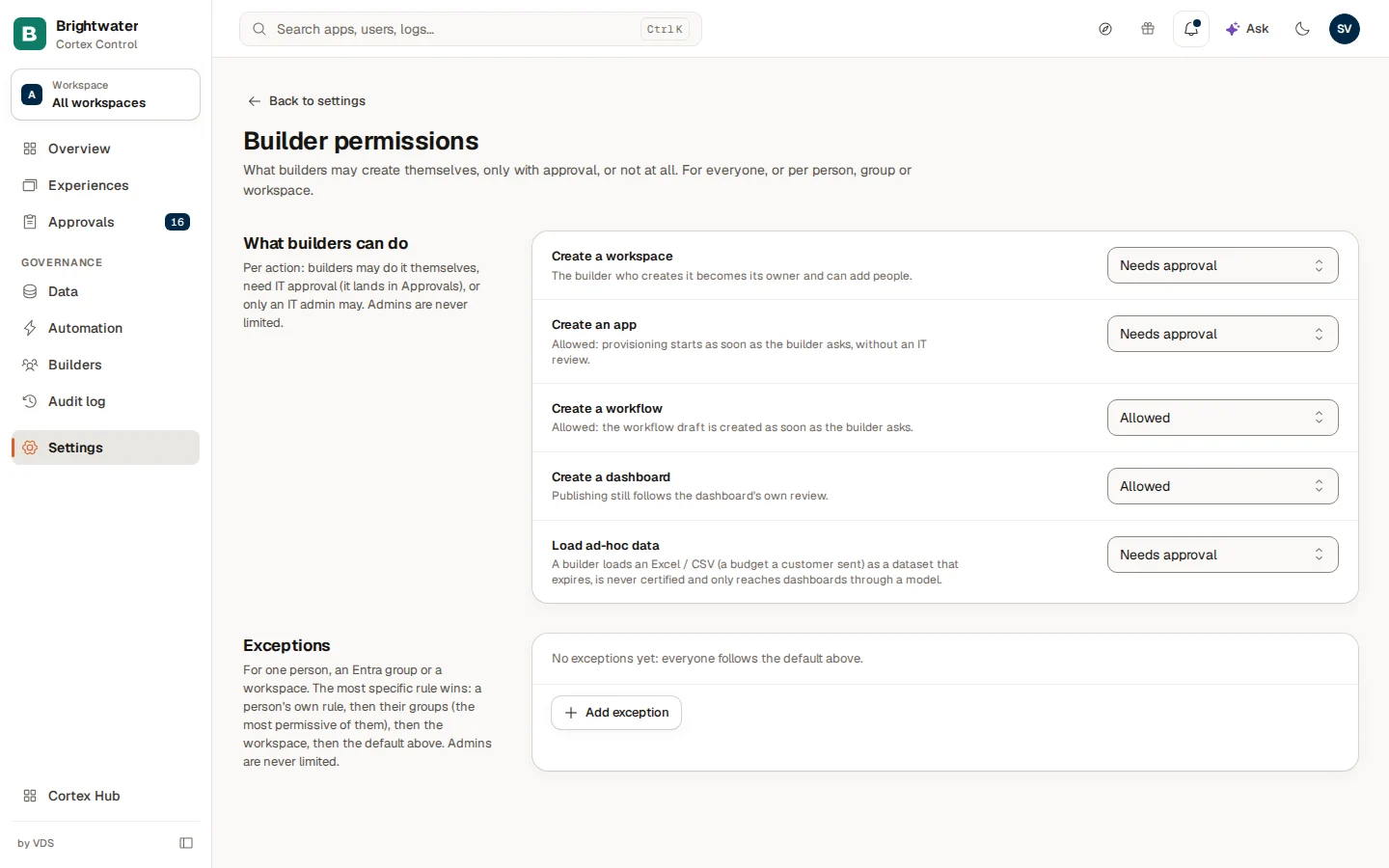
IT can also decide what builders may do without asking: for each kind of action, such as creating an app, a dashboard or a workflow, it can be Allowed, Needs approval or Admins only. Exceptions can be made for a person, a group or a workspace. See Builder permissions and policy.
Who can open an app, dashboard or workflow
Every experience has an owner, who decides who may open it. It can be shared with named people, with Microsoft Entra groups, or with the whole organisation. Experiences that are not shared with you do not open: you see "You do not have access". From there you can request access. The owner or IT decides, and the answer arrives in your Inbox.
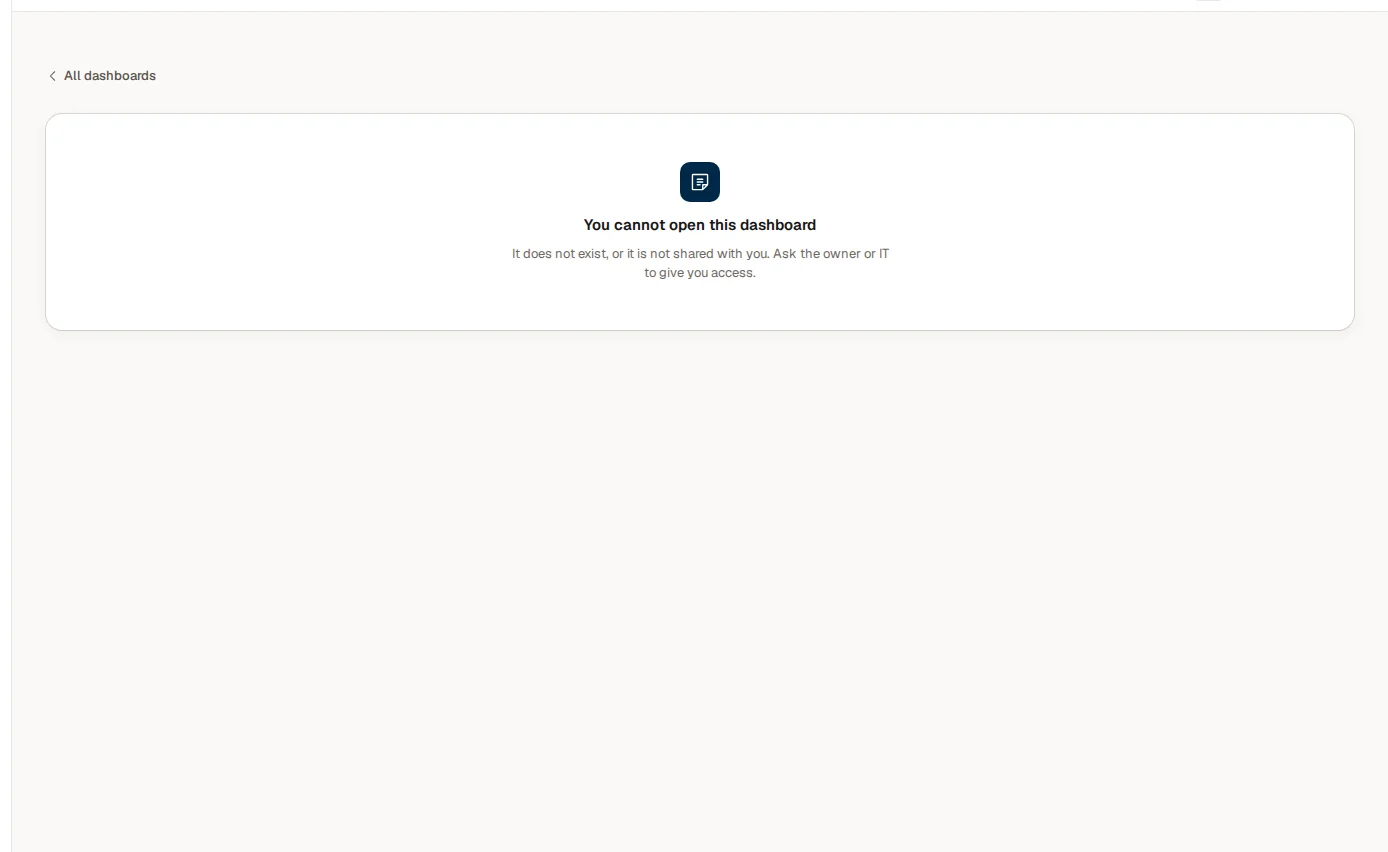
Dashboards that are not shared with you can show up under Discover in Experiences (when their owner has made them discoverable), but only as a name, a description and an owner. You never see the content before you have access. See Access and sign-in.
Who can read a model
Models, the semantic layer behind your numbers, have their own access rules. An owner can limit who may read a model at all (Who can read this model). Someone who may not read it does not see it.
Row, field, table and figure rules
Inside a model, rules can decide which rows each person sees. A sales manager may see only their own region, a plant manager only their own plant. Rules can also mask a field, hide a table from people who are not in a given audience, or restrict a figure to named audiences or roles.
These rules are applied when Cortex runs the query, not after the fact. The same question therefore gives different answers to people with different access, and nobody can get around it by choosing a different dashboard.
A known limit: a figure whose only way to the ruled table runs through a one-to-many link. A row rule lists the figures (facts) it applies to. A figure that reaches the ruled table but is not on that list is withheld from a limited viewer, with the message that it is not available; normally adding it to the list is the fix. That is not enough when the figure reaches the ruled table only along a path with a one-to-many link (one record, many rows) on it, often through another figure. For example, a plan figure links to products, products link one-to-many to sales, and sales link to the ruled company table. The plan has no link of its own to the company, so Cortex cannot limit it to a viewer's own companies, and it withholds the plan instead of showing every company's plan. Cortex would rather answer too little than too much, so nothing leaks. There is no narrower setting yet. The fix is to give the figure its own many-to-one link to the ruled table (many rows, one record) and add it to the rule's list. Both steps are needed: listing the figure without that link is refused, and the link without listing it still withholds the figure. Removing the one-to-many link also makes the figure answer again, but then the rule no longer applies to it at all and every viewer sees all of it, so only do that for a figure that is not split by the ruled table.
What a mask protects, and what it does not. A masked field is never shown, and a figure built from it (a total, an average, a count) is only answered for a group of enough rows: the minimum group size. That protects each single answer. It does not protect against combinations of many questions: someone who is allowed to ask many different questions about the same small groups can sometimes work out more than one answer shows. Cortex refuses what it can see inside one figure (squares or products of a masked field, filters on it, one figure built from two measures of the same field over different rows). Separate figures in one question can still be compared, so a column that must never be reconstructed must be hidden from those people altogether (hide the table, or restrict the figures that read it to named roles), not only masked.
Admins are not exempt from row rules and figure rules. An admin does see tables that are hidden from others and fields that are masked for others, because that is how an admin builds and checks them, but a row rule limits what an admin's own query returns as well. Owners can test a rule by choosing Test as a person on the model's Security tab: it is read-only, you give a reason, and the test is kept in the audit log.
Ask only answers with data you may see
Ask is not a separate door to the data. It runs as you, through the same models and the same rules. If you are not allowed to see something, Ask says "That isn't available to you", or that you do not have access to that source. Ask does not reveal it, and it does not see more than you do. The same holds for documents: a document filed on one record is only found by people who can see that record.
Digests and alerts for limited data
If a dashboard only shows you part of the data, a digest or alert about it can only be sent if you allow Cortex to read it as you. This permission is narrow (governed data only), logged on every use and ends after 90 days. You can renew or withdraw it, and so can IT. See Subscriptions.
Credentials for outside systems
When Cortex connects to an outside system, such as an ERP, it needs credentials. Cortex stores these by name only. The actual secret value lives in a dedicated secret store, never in code, in settings pages or in database rows. People who set up a connection refer to a secret by its name. The value is not shown back.
Builders never handle those secrets: IT connects a system once in Cortex Control, and apps and dashboards reach it through what IT has made available. Credentials that expire show up on the Data page so IT can renew them in time. See Data sources.
Records of what happens
Cortex keeps an audit log of who did what and when. Admins can read it in Cortex Control, including the entries where an admin looked at Cortex as another person or role. Certification choices made with a reason are recorded there too, and every Ask answer keeps its period, its figures and what it cost. See Audit log.
Example: one question, three answers
On the day of the quarterly review, three people at Brightwater Foods ask Ask the same question: "What was the revenue this year?". The Sales model has two rules. The figure Revenue is restricted to the Sales and Finance audiences, and the regional sales managers see only the rows of their own region.
| Person | Who they are | What they get | Why |
|---|---|---|---|
| Mark | Finance controller, in the Finance audience | The revenue of the whole company | He may use the figure, and no row rule limits him |
| Femke | Regional sales manager (North), in the Sales audience | The revenue of the North region only, with the same label and the same period | She may use the figure, and the row rule limits her rows when the model runs the query |
| Lotte | Production planner | "That isn't available to you." | She is in neither audience, so the figure is not hers to use, and Ask does not reveal more |
Nobody had to choose a special dashboard or ask the AI nicely. The model decided, per person, at the moment of the query. Sam de Vries, who owns the model, can see all of this on its Security tab: the matrix Who sees what lists what each kind of reader gets.
What this page does not promise
Cortex gives you the tools to control access. How strict your organisation is depends on how its admins set Cortex up. This documentation makes no claim about compliance with any specific law or standard.
Certified figures and nightly checks
What the Certified badge means, how a figure earns it, why it can disappear overnight and when it comes back, with the story of one figure at Brightwater Foods.
Ask and AI
How Ask builds an answer from governed data, how to check it, where AI is used and where it is not, and what Ask says when it cannot answer.